How we automated trust funding for an estate planning firm
Overview
A trust only works if the assets actually get moved into it, and plenty of clients never finish that step. At most estate planning firms, the firm sends funding instructions after signing, and the client is supposed to retitle accounts, record deeds and update beneficiary forms. Nobody confirms it was finished, and a refinance can quietly pull a house back out of the trust.
This system follows every asset until it is in the trust and covers these workflows:
- Track each asset into the trust
- Follow up with clients for the paperwork, in the firm’s name
- Flag whose plan needs a review
System Design
The asset list, the paperwork and the follow-up that used to sit in a paralegal’s inbox now go into one system. It tracks each asset, sends the reminders and flags the plans that need a look, and staff decide what happens next.
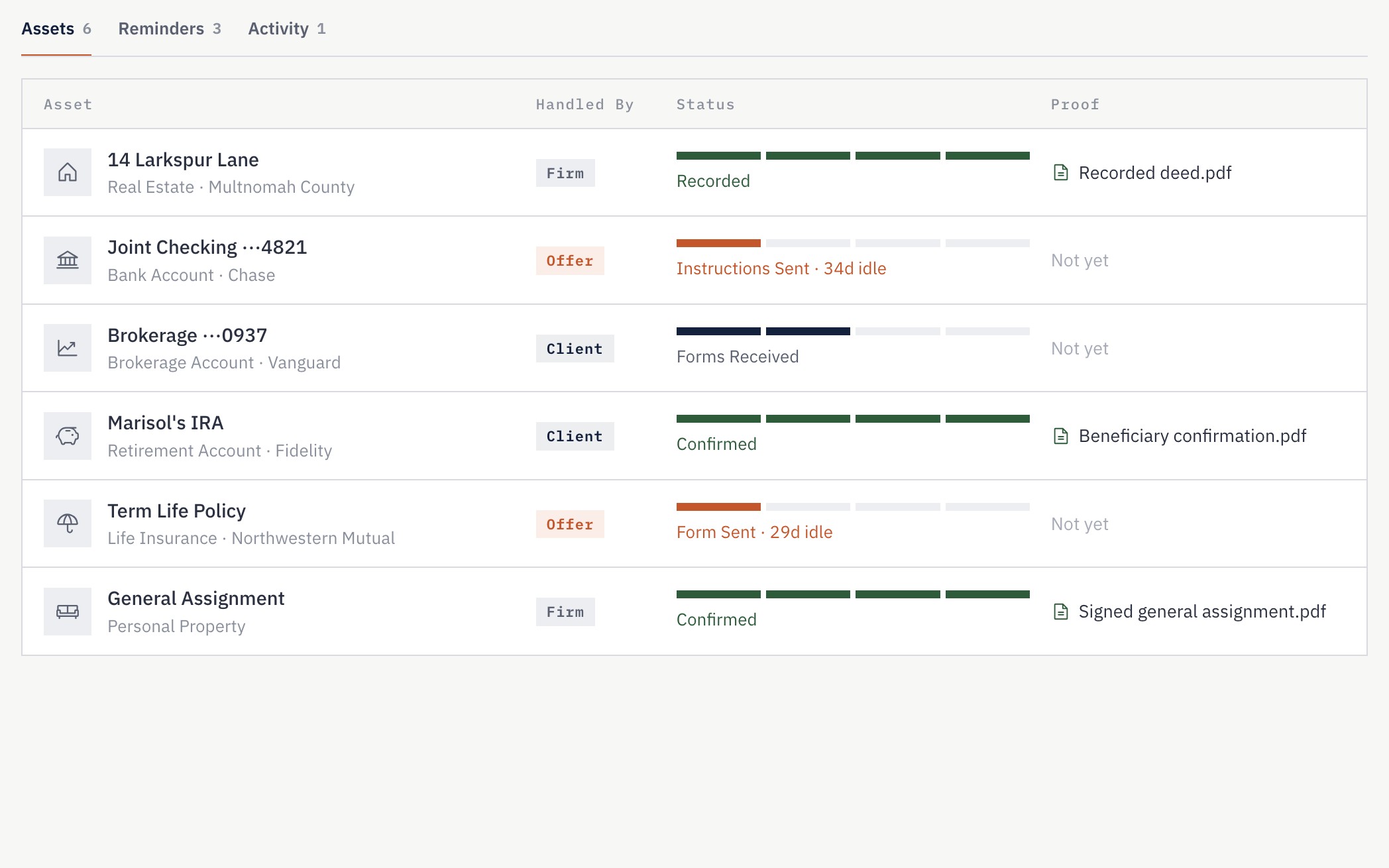
Schedule A becomes a checklist
Every asset gets its own row, a handler and status steps, and is done once the proof is on file
- HomeFirmDeed recorded
- Bank accountClientRetitled after reminders
- Brokerage accountClientRetitled
- Retirement accountClientBeneficiary confirmed
Reminders run until the proof is in
Emails and a text go out in the firm’s name on a set schedule, and stop when the client uploads proof
- Day 3Email
- Day 10Email
- Day 17Text
- Proof uploaded
- Day 30Email stopped
The dashboard shows where every household stands
Staff see who is funded, who is on track and which assets have stalled
- Funded
- On track
- Stalled
A yearly check-in catches changes
If a client reports a refinance, staff open a new deed task and the home goes back on the checklist
- Check-in sent
- Refinance reported
- Deed task opened
- Home back on the checklist
- System step
- Client step
- Staff decides
- Not done or stopped
What The System Does
- Imports each client’s Schedule A and tracks every asset step by step until it is in the trust, with who handles it, the firm or the client, and the proof on file
- Sends reminders by email and text in the firm’s name, gives each client a private page to upload their proof, and stops the reminders once the proof arrives
- Shows the whole firm on one dashboard: which households are funded and which assets have stalled
- Sends a yearly check-in and flags the plans that need a review, such as a home that was refinanced
What Stays With People
Staff can preview every reminder before it goes out and send one themselves at any time. The team updates the status of each asset, takes over an asset when a client asks the firm to finish it, and decides what to do when a check-in flags a change.
There are no per-seat fees, and the firm owns the tool.
Book a call
A 30-minute call to walk through how your firm handles trust funding today, how a system like this can help your team, and see how we’d build it.